
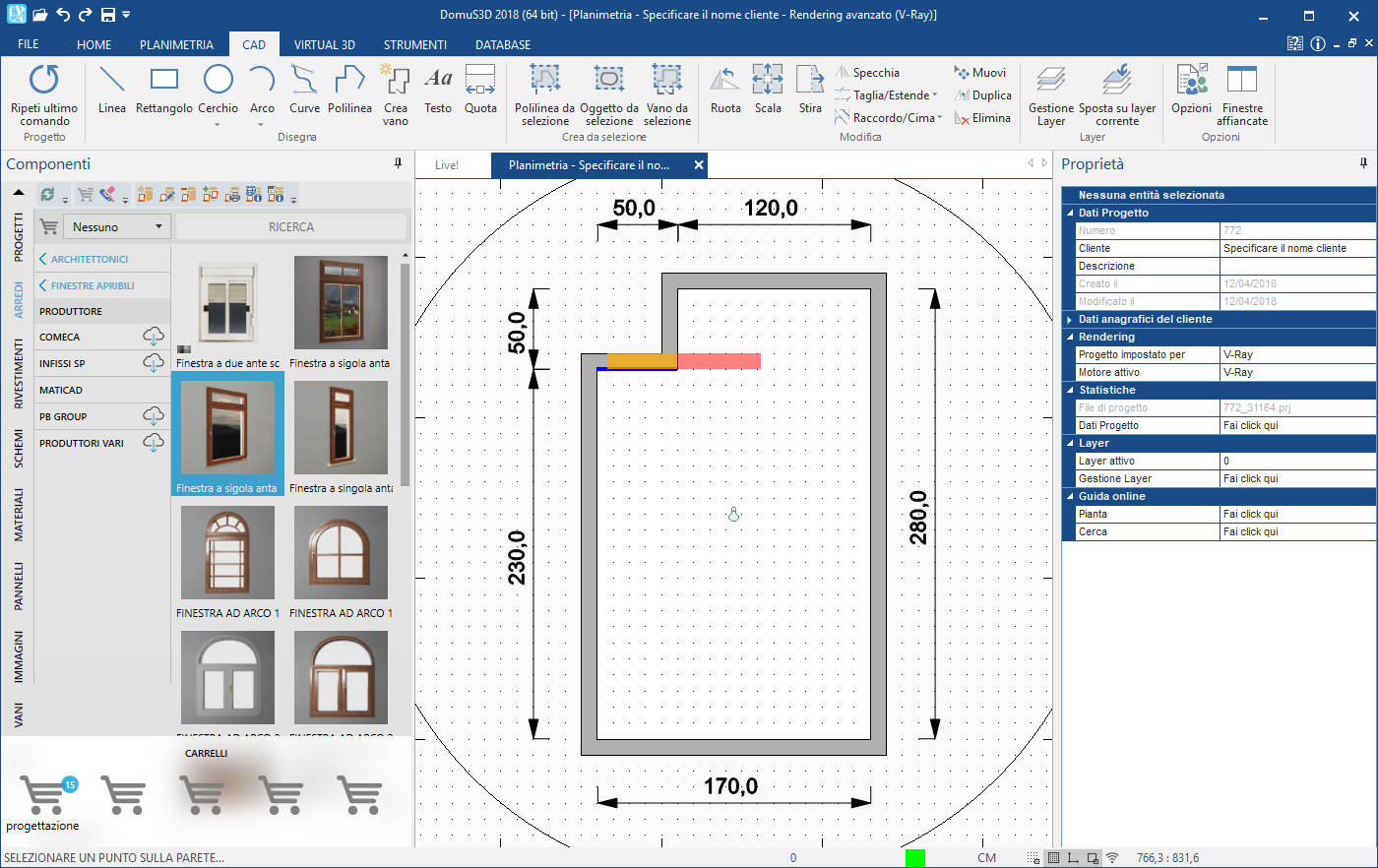
Drag the window or the door that you want into your floor plan and move your mouse towards the interior wall where you want to place your door. Even though you'll see a red rectangle, drop the item into your project with a mouse click. The program will automatically resize the door or window.
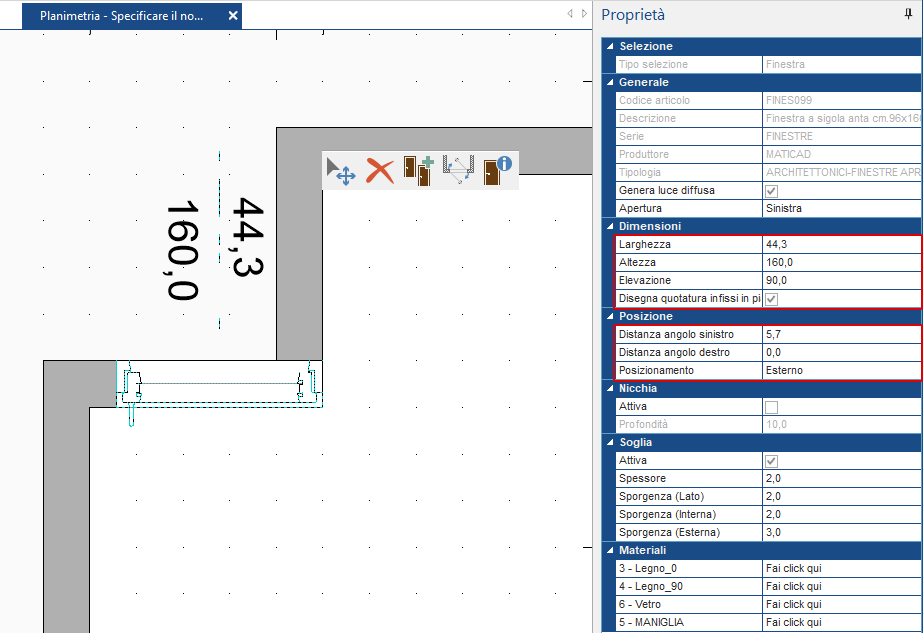
Now, if you click on your window or door, you'll see the Property Grid appear on the right side of your screen, where you can resize or reposition it by changing the relative parameters.
This article is valid for the 2017 version and later.